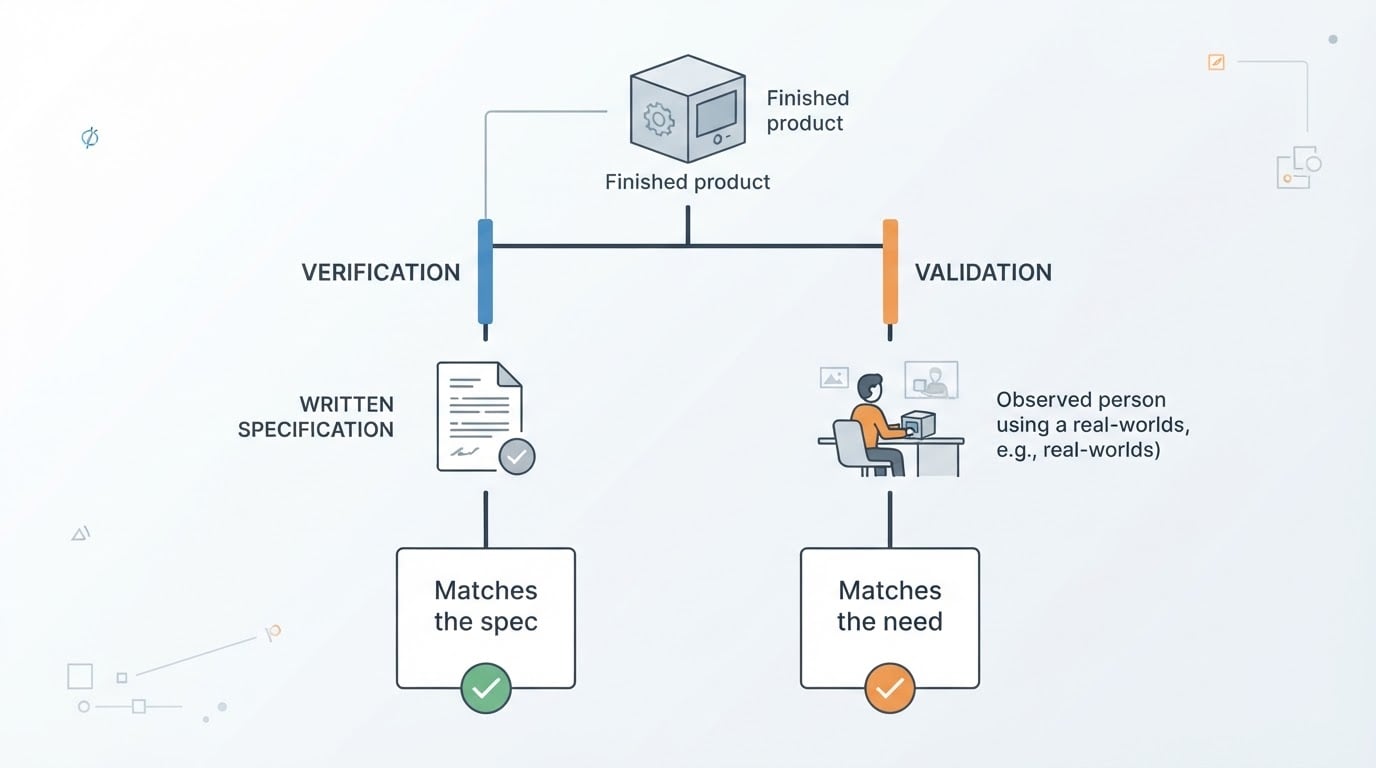
What testing, quality, defects, and coverage actually mean
Software testing is the practice of gathering evidence about how a product behaves, then using that evidence to decide what to do next. It is not a proof that nothing is broken. A passing test tells you that one thing behaved as expected under one set of conditions, which is useful and also limited.
Quality is a different word for a related idea. It describes how well the product does the job the customer hired it for: whether the numbers are right, whether it survives a slow connection, whether a first-time user can finish a checkout without help. Testing produces evidence. Quality is the judgement you make from that evidence, plus everything the tests cannot see.
A defect is a mismatch between what the software does and what it is supposed to do. "Supposed to" can come from a written requirement, a design file, a conversation nobody wrote down, or the reasonable expectation of a user. That last source matters. A total that quietly rounds in the company's favour is a defect even if no document ever stated the rounding rule.
Test coverage is the share of the risk you have actually examined. Teams often quote code coverage, the percentage of lines executed by tests. It is a useful signal and a poor target. A checkout page can have full line coverage and still never be tested with an expired discount code. Requirement coverage asks a better question: which of the things that could hurt us have we looked at?
Term | Plain meaning | Question it answers |
|---|---|---|
Testing | Evidence about actual behaviour | What does the software do under these conditions? |
Quality | Fitness for the user's job | Even if it behaves as specified, is it good enough? |
Defect | Mismatch between actual and intended behaviour | What is wrong, and who is affected? |
Coverage | Share of the risk examined | What have we not looked at yet? |
The four test levels, and what each one can catch
Test levels describe how much of the system you put under a single test. The names come from formal process models, but the idea is practical: check small pieces cheaply and often, then check the assembled product in conditions close to production. Most small teams use all four levels even when nobody writes the words down.
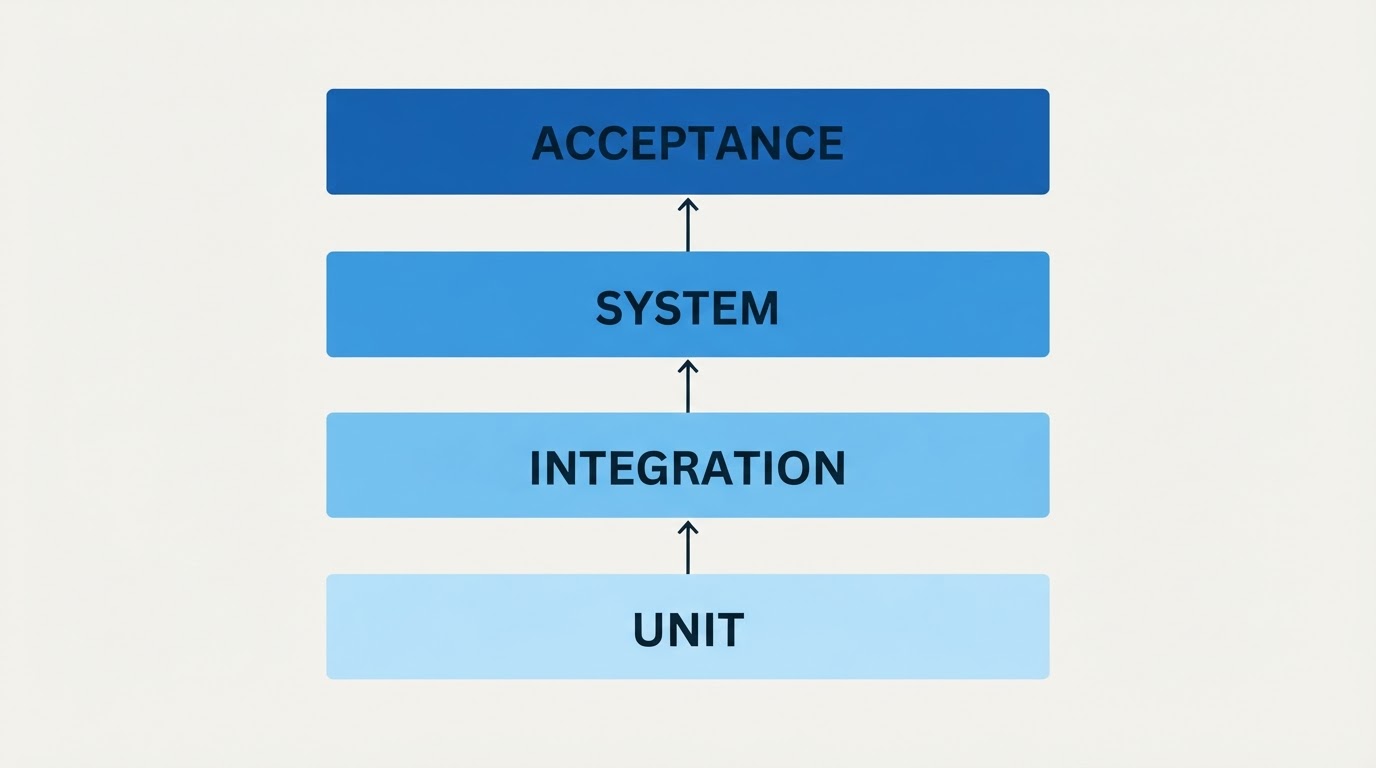
Level | What is under test | Typical question | What it tends to miss |
|---|---|---|---|
Unit | One function or module in isolation | Does this rule hold for these inputs? | Wiring, configuration, real data |
Integration | Two or more pieces working together | Do these pieces agree on the contract between them? | Visual state, whole-flow behaviour |
System | The whole application in a production-like environment | Does the full flow work for a user? | Business intent, real-world tolerance |
Acceptance | The behaviour the business asked for | Would the person who requested this accept it? | Code-level defects elsewhere |
Unit tests are fast, narrow, and cheap
A unit test exercises one piece of logic: a function that calculates a discount, a parser that reads a price string, a validator that rejects an empty email. These run in milliseconds, so a team can keep thousands of them. The weakness is blindness. A unit test can pass while the feature fails, because it never sees the database, the network, or the browser.
Integration tests are where teams meet surprises
Integration tests check that separate pieces agree. A pricing service reads a discount record and returns a new total. The browser sends a request and receives the shape it expects. Most expensive surprises in a web product live at this level: a field renamed on one side, a date stored in UTC and read as local time, a case-sensitive lookup that works in testing and fails for real users.
System tests show the product as a user meets it
A system test runs the assembled application in an environment close to production and follows a realistic flow: sign in, add an item, apply a code, pay. This is where rendering, JavaScript, session state, third-party sandboxes, and configuration meet. It is slower and more brittle than the lower levels, which is why it should cover the flows that carry the most risk rather than every combination of fields.
Acceptance tests answer the question the business asked
Acceptance testing asks whether the person who requested the feature would consider it done. It works from scenarios written in business language, and it is the level where a technically passing build can still be rejected, because the rule itself was misunderstood.
Seven principles that keep a test suite honest
The classic testing principles are old, and they are still useful because each one corrects a specific habit that makes test suites expensive and unconvincing.
Testing shows the presence of defects, not their absence
A smoke alarm that stays quiet does not prove there is no fire. Passing tests reduce uncertainty. They do not remove it. Release notes should say what was checked, not that the product is bug-free.
Exhaustive testing is impossible
No team can try every value, browser, device, and network condition. You sample by risk: what breaks most often, what costs most when it breaks, what changed this week. Testing the order total at three boundaries is usually a better trade than testing a thousand random numbers.
Early testing is cheaper testing
A misunderstanding found in a requirement costs a conversation. The same misunderstanding found in production costs an incident, a refund, and trust. Read the requirement before it becomes code, and test the design before it becomes a release.
Defects cluster
Bugs are not spread evenly. A module that produced two defects this month is likely to produce a third. When you find a cluster, widen the checks around it instead of moving on.
The same tests stop finding new problems
Repeating an identical suite is like walking the same route to work: you stop noticing what changed. Vary the inputs, revisit the areas nobody has touched, and add checks for the behaviour added since the last run.
Testing depends on context
A marketing site and a payments flow deserve different levels of rigour. A medical device and an internal dashboard do not share a standard of evidence. Copying another company's process without its risk profile produces paperwork, not confidence.
Zero known bugs is not the same as a good product
Every ticket can be closed while the product remains hard to use. Absence of errors is one input to quality, not the definition of it.
Checking behaviour is not judging quality
The distinction that separates a useful test suite from a busy one is the difference between checking behaviour and judging quality.
A check compares observable behaviour with a stated expectation. It is binary, repeatable, and cheap to run. The total after a discount should be 18.00, and it is. Checks are the part of testing you can automate with confidence, because the expected result was written down before the run.
A judgement asks whether the observed behaviour serves the people using the product. Suppose the validation message on an email field appears exactly where the design says it should, but it erases everything the customer typed. The check passes and the experience is bad. Suppose search returns results in four seconds, inside the documented limit. The check passes and most customers have already left.
The two activities need different evidence and different people. Checks need stable expected results and a record of what ran. Judgements need context: who the user is, what they were trying to do, what the alternatives cost. A practical habit is to keep two lists for every release. One holds the checks that must pass. The other holds the questions a person still has to answer, such as whether the empty state makes sense or whether an error message tells someone what to do next.
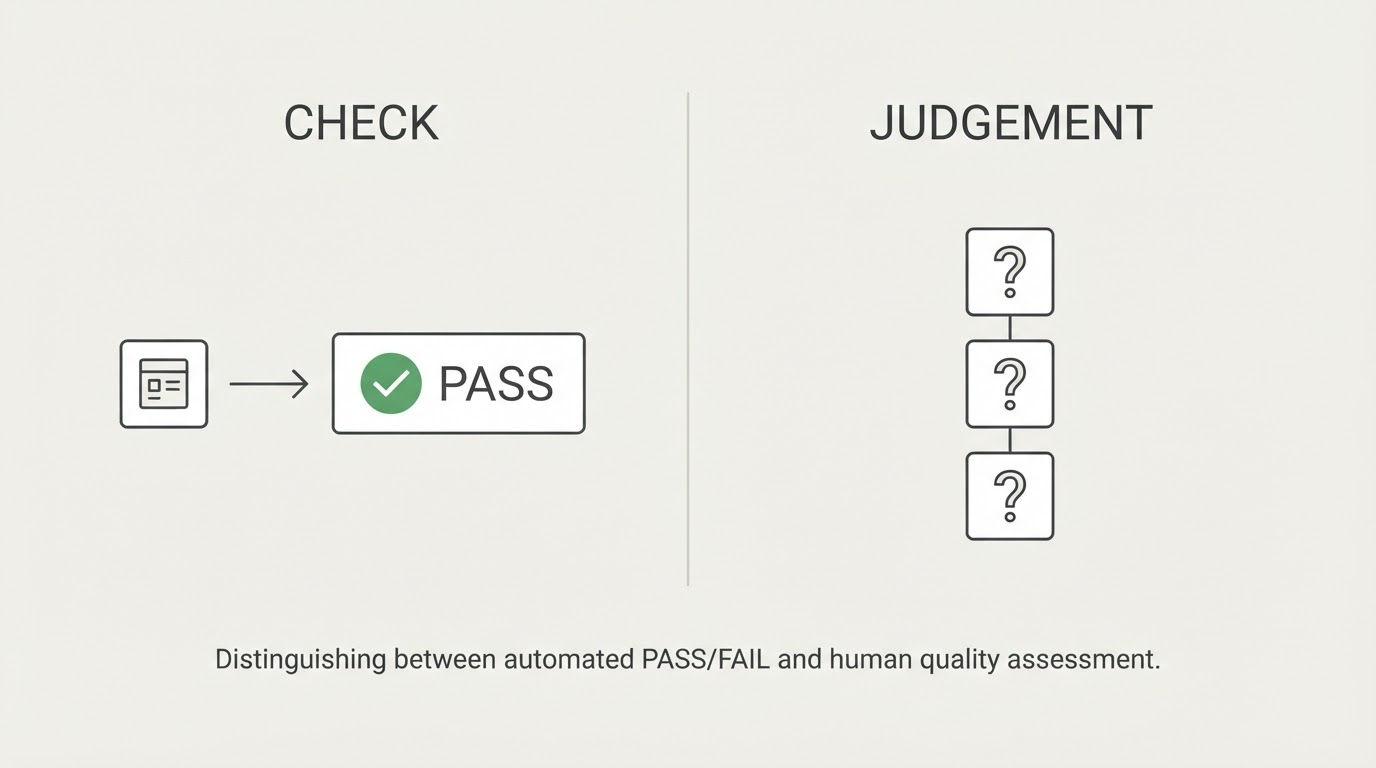
Teams get into trouble when they treat the second list as a luxury. A wall of green checks over a confusing interface is not quality. It is coverage of the wrong question.
A worked example: one feature from requirement to test
Consider a feature most web products have: a customer enters a discount code at checkout and the order total changes. Follow it from the first sentence to the last check.

The requirement. "Customers can apply one discount code per order. A valid code reduces the order total by its stated percentage. An expired code shows a message and leaves the total unchanged."
The acceptance criteria. Written in plain language before any code: a valid code changes the total; a second code replaces the first instead of stacking; an expired code shows a message and leaves the total alone; a code worth more than the order brings the total to zero instead of negative. These lines are the business's definition of done, and they become the acceptance test later.
Unit level. The calculation itself takes a total, a percentage, and a currency, and returns the new total. Cases include 10% of 18.00, a rounding boundary such as 33% of 9.99, a zero total, and a negative input. This level catches rounding errors that appear only on specific amounts, and the zero-floor rule if the rule lives in the calculation rather than the interface.
Integration level. The calculation reads a code record from a pricing service or a database. This level catches codes stored as SAVE10 but typed as save10, an expiry date written in UTC and compared with local time, and a single-use rule that the pricing service enforces while the interface never shows it.
System level. The full checkout runs in a browser against an environment that resembles production. This level catches the total that updates only after a reload, the discount that appears in the summary but not in the amount sent to the payment provider, and the layout that hides the updated total on a narrow screen.
Acceptance level. The product owner and someone from finance run the four criteria and confirm that a discounted order also reports correctly. This level catches the case where the code stacks with an existing promotion, a rule that lived in a spreadsheet but never in a ticket.
What you keep. After the run, the evidence matters as much as the pass: which code was used, which total was expected, a screenshot or log of the state, and who confirmed it. Six weeks later, when someone asks whether the discount was ever tested, that record is the answer.
Checkpoint | Evidence to keep | Who confirms it |
|---|---|---|
Requirement and criteria | One sentence plus four acceptance lines | Product owner |
Unit and integration checks | Inputs, expected output, last passing run | Engineer |
System flow | Run record, environment, screenshots or logs | QA owner |
Acceptance | Agreed criteria and the business rules applied | Product owner, finance if money is involved |
How testing methodologies fit around those levels
Testing methodologies are ways of choosing what to check and how to judge the result. They run across the levels rather than replacing them.
- Scripted testing writes the steps and the expected result in advance. It suits rules that must not change, such as pricing and permissions.
- Exploratory testing learns the product while using it and finds the problems nobody thought to specify. It suits new features and unfamiliar areas.
- Black-box testing works from the outside, through the interface. White-box testing uses knowledge of the code. Most acceptance work is black-box, most unit work is white-box.
- Manual and automated execution describe who runs the check, not what is checked. Automation pays off when a check must repeat on every release. A person pays off when the question needs judgement.
- Risk-based prioritisation sets the order: what fails most often, what costs most, what changed.
None of these is a maturity badge. A team with a spreadsheet, four written acceptance criteria, and the discipline to run them before each release is in better shape than a team with a large automated suite nobody reads.
Where browser-based checks fit
Browser-based checks sit at the system and acceptance levels. They are the only level that sees what the customer sees: rendered layout, JavaScript behaviour, session state, and a real network. They earn their cost when a failure depends on those layers, and they are a weak substitute for unit tests when the question is whether a discount rounds correctly.
One example of the platform approach: BuniOD runs confirmed scenarios in a real headless Chromium browser at a desktop viewport, against the actual interface of a web application rather than a simulated page. The team states the scope plainly, and only desktop Chromium is covered today: Firefox, Safari/WebKit and mobile viewports are not yet supported, and native mobile testing is listed as in development. That limit is the useful part of the example. A browser check is only as broad as the browsers it runs in, so the level you pick has to match the users you have.
The practical rule is to place each check at the lowest level that can catch the failure. Test the calculation in a unit test, the code lookup in an integration test, and the checkout in the browser. Repeating the same assertion at every level buys maintenance work instead of confidence.
Keeping the basics honest in a small team
A short checklist covers the parts most often skipped:
- Every critical flow has one written expected result, in the words of the person who owns the outcome.
- Every level has an owner. Unit checks belong to whoever writes the code. Acceptance belongs to whoever asked for the feature.
- Every release keeps its evidence: what ran, what was expected, what was observed, and who approved the remaining gap.
- The judgement questions sit next to the checks, and a person answers them before the release rather than after the complaint.
None of this needs a framework or a title. It needs a decision about what evidence you would accept, and the habit of producing it before anyone has to ask.